Sweet Sweet - A theme for Typora
A dark theme for Typora — built for simplicity and calm long-form writing.
Available on GitHub.
Overview
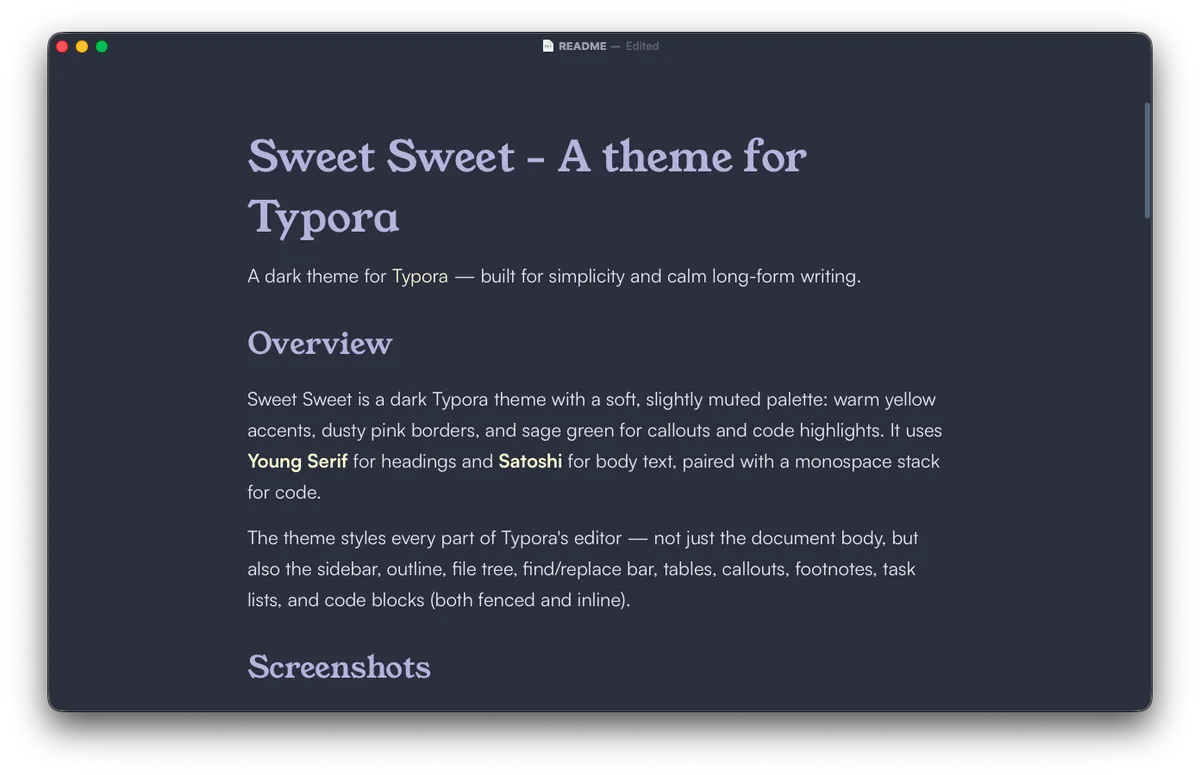
Sweet Sweet is a dark Typora theme with a soft, slightly muted palette: warm yellow accents, dusty pink borders, and sage green for callouts and code highlights. It uses Young Serif for headings and Satoshi for body text, paired with a monospace stack for code.
The theme styles every part of Typora's editor — not just the document body, but also the sidebar, outline, file tree, find/replace bar, tables, callouts, footnotes, task lists, and code blocks (both fenced and inline).
Screenshots
Features
- Dark theme only
- Calm color palette that draws inspiration from dusk.
- Serif headings (Young Serif) paired with a clean sans-serif body (Satoshi).
- Code styling across code blocks and inline code — same font, weight, size, and border treatment.
- Consistent syntax highlighting.
- Custom bullet glyphs for nested lists.
- Animated task list checkboxes — fill animates top-to-bottom when checked.
- Styled footnotes with accent-colored references and no jarring divider.
- Themed find/replace bar that matches the editor instead of falling back to system defaults.
Installation
In Typora, open Preferences → Appearance → Open Theme Folder.
Copy
Sweet Sweet.cssinto that folder.(Optional) If you want the recommended fonts, install:
The theme falls back gracefully if these aren't installed.
Restart Typora.
Select Themes → Sweet Sweet.
Recommended setup
- Platform: macOS (developed and tested here). Should work on Windows and Linux but isn't fully tested — please open an issue if something looks off.
- Typora version: designed against current stable releases. If you're on an older version, some selectors (especially for the find/replace bar) may not match.
- Display: dark environments. The palette is tuned for low-light reading.
Known limitations
- Not tested on Windows or Linux. Borders, fonts, and the title bar may render differently.
- Does not include styles for Typora's Windows "unibody" title bar.
Contributing
Issues and pull requests are welcome — especially:
- Screenshots from Windows / Linux installs.
- Reports of UI elements that fall back to default styling.
- Refinements to syntax-highlight token colors for languages you write in often.
If you're filing a styling issue, a screenshot plus the output of Web Inspector's Computed panel for the affected element makes diagnosis dramatically faster.
Acknowledgements
- Built on Typora's theme system.
License
Apache-2.0. See LICENSE for details.